
06 May 2026 · 4 min read
How to Clean a Microphone Foam Cover (Without Ruining It)
You can ruin a £30 foam cover with thirty seconds of bad cleaning. Here is what actually works, what destroys the foam, and when to just replace it.
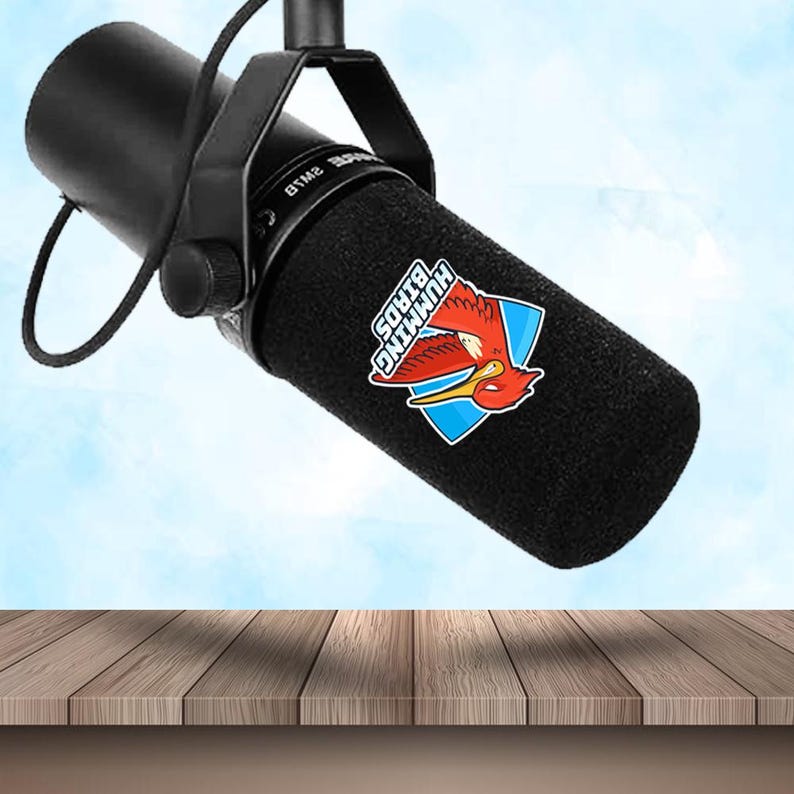
Short answer: foam mic covers are cleanable but not really washable. Brush or lint-roll them weekly, blast them with compressed air for a deep clean, and if one is genuinely grubby use a damp (not wet) cloth with a drop of mild soap and let it air-dry fully — never soak, machine-wash, tumble-dry or use alcohol or bleach, which break down PU foam. At IT Wheel we tell customers to treat a cover as a two-to-three-year consumable: when it stops springing back when squeezed, replace it rather than keep cleaning it.
You can destroy a £30 custom foam mic cover with thirty seconds of bad cleaning. Most do it within the first year of ownership without realising.
This is the proper way to keep a foam cover clean — what works, what destroys it, and when to just replace it.
What's actually on the foam
Mic covers accumulate four things:
- Dust (90% of what you see) — household airborne particles
- Saliva and breath moisture (live/podcast use) — invisible until it dries
- Skin oils (from handling) — leaves slight discolouration over time
- Bacterial film (shared/handed-around mics) — invisible but real
Different cleaning methods handle each. Most home cleaning attempts accidentally damage the foam while addressing only one of these.
The three escalating cleaning methods
Level 1: Weekly dust removal
What you need: a soft paintbrush (£2 from any art store). The brush should have natural bristles, not synthetic — synthetic bristles can catch on foam fibres.
Method: hold the cover upside down. Brush gently across the surface in long strokes, top to bottom. The dust falls away. Done in 30 seconds.
Frequency: weekly for podcast mics, daily for live-gigging mics.
Level 2: Monthly surface refresh
What you need: a lint roller (the sticky-paper kind, £3 from any supermarket).
Method: gently roll the lint roller over the foam surface. The sticky paper picks up dust, lint, and tiny particles the brush misses. Replace the paper as it gets dirty (one cover = 1-2 sheets).
Do NOT press hard. The point is to lift particles, not compress the foam.
Frequency: monthly for podcast mics, weekly for live mics in heavy rotation.
Level 3: Deep clean (every 6 months, or after a smoke-filled gig)
What you need: a can of compressed air (£8, available at PC stores).
Method: hold the can 30cm from the foam. Spray short bursts across the surface. The compressed air blows embedded dust out of the cell structure of the foam. Follow with a brush, then a lint roller.
Critical: hold the can vertical, never tilt. Tilting releases liquid propellant which freezes and embrittles the foam.
Do NOT spray for more than 2-3 seconds at any single point — concentrated air pressure tears foam.
What kills a foam cover
In rough order of how-quickly-it-destroys-it:
1. Water (even a damp cloth)
Foam absorbs water. Water sits in the cell structure for 24-48 hours. While wet, the foam degrades dramatically faster — UV resistance drops, structural integrity weakens, and any dye-sublimation print can run.
If your cover gets visibly wet (you spilt tea on it, the cat sneezed): air-dry it for 48 hours away from heat sources. Don't use a hairdryer.
2. Solvent cleaners (alcohol, vinegar, soap, dish detergent)
Same problem as water but worse. The solvents penetrate the print layer and run the colour. Custom covers with dye-sub printing are particularly vulnerable.
For multi-speaker hygiene (where you do need to disinfect between speakers), the right approach is: replace the cover, not clean it. £20-25 per replacement cover is cheaper than the time spent trying to safely clean it.
3. Vacuum cleaner
The suction breaks the foam's cell walls. The cover physically falls apart faster after vacuum exposure than from years of normal use. Counterintuitive but proven — never use a vacuum.
4. Heat
Hairdryers, irons, heat guns, sunny windowsills above 30°C. Foam melts and shrinks. The print warps and bubbles.
If you got the cover wet (see above), air-dry only.
5. Tight squeezing during storage
Storing the cover compressed in a hard case creates permanent dents. The cell structure breaks down where it's pressed.
Store the cover on the mic, or loose in a soft drawstring bag.
When to replace vs clean
Replace when:
- You see crumbling foam particles when you brush it (cell structure is failing)
- Print is cracked, peeling, or visibly faded (cosmetic but unfixable)
- You can smell it after cleaning (bacteria/odour has penetrated the foam)
- It's torn anywhere on the seam (no fix)
- It's been more than 3-4 years (foam degrades with age regardless of use)
Clean when:
- It looks dusty (level 1)
- It looks dull (level 2)
- It hasn't been deep-cleaned in 6 months (level 3)
Multi-speaker hygiene specifically
For mics shared between speakers (events, churches, podcast guests), the right approach is swap, don't clean. Keep 2-3 spare covers ready. Swap the cover between speakers. Clean the spares in batch using level 1/2 methods at the end of the event.
If you absolutely have to sanitise mid-event without swapping: a brief 1-second compressed-air burst followed by a fresh wipe with a microfibre cloth (DRY, not damp) is the safest option. Disinfectant wipes will ruin the print.
Bottom line
A good custom foam cover lasts 2-4 years if you treat it carefully. £20-30 for 3+ years of professional-looking mic. If a cleaning method involves anything wet or anything chemical, don't do it — just replace the cover. The cost is too low to risk damaging a working cover by experimenting.
Reorder a cover if yours is past its best. We keep your artwork on file, so reorders skip setup and ship in 3 working days.
Shop the gear in this guide
Ready to brand your microphone?
Custom microphone branding and same-day printing from London E1. Production 1–2 working days after artwork approval.
Browse the shop